Everyone is talking about smartwatches right now – not
because they're new, but because Apple has finally brought out its own
version. So we lined up the Apple Watch alongside two Android Wear
smartwatches, the Sony SmartWatch 3 and LG G Watch R, as well as
Samsung's smartwatch inbuilt SIM offering, to see if these wearable
devices are a must-have smartphone accessory, just an expensive tech gadget, or something in between.
Most smartwatches depend on a smartphone
for almost all its functionality. If your fitness, social networking
and email apps are loaded and running on your phone and you have your
smartphone in your pocket or nearby, you should be able to see the same
information on your smartwatch.
If you own an Apple iPhone 5, 5C, 5S, 6 or 6 Plus running iOS8.2, your only choice of smartwatch is the Apple Watch.
Android smartphone users can't use the Apple Watch, but can strap on
the other two smartwatches we tested as long as the smartphone supports
Android version 4.3 (JellyBean) or later.
What's app?
When it comes to making the most of a smartwatch, it's all about the apps. Apple and Google
have been populating their app stores with new apps and adapting
existing ones to work with smartwatches. But it may take some time
before we see a significant number of useful apps developed specifically
for the smartwatch.
Get connected
While Bluetooth is the default wireless connection option between the
smartwatch and smartphone, Wi-Fi support on the Apple Watch and the
Samsung Gear S with inbuilt SIM support, creates a useful solution to
the disconnection you may get at home once you move more than 10 metres
away from your smartphone. Connect your Apple Watch to your home Wi-Fi
network for an operating range of up to 100 metres. The latest version
of Android Wear supports Wi-Fi connectivity and should appear on the
next generation of Android Wear smartwatches as standard. Some existing
smartwatches such as the Sony SmartWatch 3 that have a Wi-Fi chip should
now have this feature enabled, so if you have recently bought an
Android smartwatch, go through the upgrade process to enable the latest
connectivity support.
Apple Watch

The Apple Watch
comes in two different screen sizes (38mm or 42mm) with dozens of
variations depending on the watch material or band type selected. You
can pay anything from $24,000 for a solid gold Edition down to $500 for
the cheapest Sport models we bought and tested.
Both sizes of the Apple Watch feel more compact on the wrist than the
other smartwatches we tested. Initial set-up is very straightforward;
simply hold the watch face up to the iPhone's camera when prompted to
pair the two devices and you're all set. To navigate, you select menu
items and apps with your finger, or move through menu choices using a
combination of button selections and rotation of the digital crown.
There's no virtual keyboard, but if you're familiar with the Siri
voice recognition feature on your iPhone you'll find the Apple Watch a
breeze to use as the voice-to-text feature for data input is simple to
use and accurate.

You can't reply to emails, only view them, but you can read and reply
to text messages using a selection of default responses or use your
iPhone to add your own personal responses and save it in the list. You
can also use Siri to send the reply as either an audio file or a
converted text message.
The apps
you'll most likely use on a daily basis focus on notification (either
via a sound or a small tap on the wrist) such as alerts for meetings,
incoming messages and calls that you can take on your watch without
having to remove your phone from your pocket. The fitness and activity
apps are useful for day-to-day health checks rather than serious
fitness, but provide timely reminders of when you should get up and
stretch, walk around or generally take a break from sitting at your
desk. Our tester found the heart rate monitor to deliver similar
performance to the average fitness band, although unlike a fitness band, you still need to have your phone nearby.
The watch is charged with a USB-powered inductive charging cable,
which you'll probably be using every night as a full charge only lasts a
day. In fact, Apple claim they designed the charging cable to be so
easy you can use it in the dark when you're not fully awake.
Android Wear devices
The Sony SmartWatch 3 ($299) and LG G Watch R
($359) operate on Google's Android Wear OS, designed specifically for
smartwatches. Other companies committed to Android Wear include Motorola
(Moto 360), ASUS (Zenwatch) and Samsung (Gear Live).
The pairing process for Android Wear watches, while not as
straightforward as the Apple Watch, is not difficult and a short
walkthrough on both smartwatches shows you the most common features and
navigation instructions. Swipe left/right and up/down for the various
settings and apps, and press the button on the side to turn the display
on or off.
The out-of-box experience for the LG and Sony smartwatches is fairly
basic, with the default messaging, calendar and fitness apps similar to
the Apple Watch. However, there are many different apps to download and
try out.
Android Wear's voice activation tool, which works in a similar manner
to Siri, is called 'OK Google'. It works well for most situations, but
our tester found Apple's Siri to be more accurate in recognising
instructions.
If you receive a text and can't verbally respond, Android Wear
smartwatches can respond from a series of options such as 'yes', 'no'
and 'call you back'.

The Sony SmartWatch watch face is a similar square design to the 42mm
Apple Watch, but it feels more bulky on the wrist. The black silicon
band with metal clasp is easy to adjust to a variety of wrist sizes. The
Sony is the only model we tested with a built-in GPS chip (the other
watches depend on the phone's GPS) making it a useful option for fitness
fans as you can store workout data on the smartwatch and sync with the
smartphone after the run (although it doesn't have a heart rate
monitor). The ability to save music playlists to the watch memory means
you can work out and listen to some music without the phone in your
pocket.
The LG G Watch R looks like a sports watch with a round face and
minute notifications marked around the bezel. It doesn't have inbuilt
GPS but does have a heart rate monitor so if you want to go for a run
and record the data, you'll need to have the smartphone close by.
The Sony charges the watch using a direct micro USB cable connection,
while the LG uses a small dock. Neither is as elegant as the Apple
Inductive charging solution, but they're not particularly difficult.
Both the Sony and LG smartwatches deliver a small vibration or tap on
your wrist to draw your attention to a notification and although
effective, an audible notification would be a useful option,
particularly if the smartwatch was on the table and not on your wrist.
Incoming calls appear on the screen and can be answered or cancelled
from the Sony or LG smartwatch but unlike the Apple Watch, you can't
take the call using the watch.
One major difference between the Apple Watch and the early version of
Android Wear was the way the device dealt with notifications. If you
closed an app on an Android Wear smartwatch it removed the app from your
watch until another notification is sent by the smartphone. This can be
irritating if you swiped an app's notification but wanted to keep it to
view later. On the Apple Watch, you can select the app on the watch
face and it will prompt the iPhone to show the relevant information
stored on the smartphone. Thankfully the latest update to Android Wear
has fixed this issue, with users able to keep their notifications on the
watch and in the background.
The complete smartwatch? Not quite.
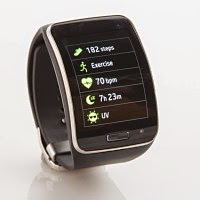
The Samsung Gear S SM-R750B
($449) smartwatch runs the open source operating system, Tizen. The
watch is unique in that it can accept a phone SIM card, effectively
turning it into a communication device with full smartphone
functionality. Once it's up and running (a Samsung smartphone is
required for the initial set-up), you can load the fitness, social
networking and email apps directly onto the watch. While the Gear S can
perform most tasks without a smartphone, you still need to connect it to
a Samsung mobile to upload apps, apply firmware upgrades and use the
navigation feature.
The curved 2-inch display is excellent and offers easy readability.
Although it's the only watch that lets the user enter text by tapping
directly on the tiny on-screen keyboard, you can also use the Samsung
voice recognition tool in the same manner as Siri or Google Voice.
It is without doubt the bulkiest watch in our round-up and looks and
feels like a home detention tracking band. While this type of device
won't be replacing the smartphone just yet, people wanting to ditch
their smartphone may find it suits their lifestyle.
The 80s smartwatch
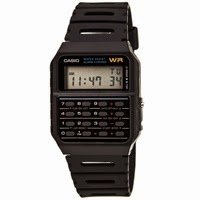
If you define a smartwatch as a watch that can do something other
than display the time, then an early standout was the Casio CA-53W
calculator watch in the 1980s. It could not only calculate your tip when
you went out to dinner, it also stored appointments and contact
details. It had a starring role on the wrists of Marty McFly in
Back to the Future and Walter White in Netflix hit,
Breaking Bad.
CHOICE verdict
The iPod, iPhone, iPad
and now Apple Watch – Apple has generally waited for others to bring
out the first generation of a device, allowing it to learn from their
competitors' mistakes and deliver a more polished 'second generation'
product to much fanfare and acclaim. In many ways, the Apple Watch is
more polished and without doubt looks more like a normal watch, not a
bulky sports watch, on the wrist. However, the Android Wear offerings
perform their tasks well enough, and with many models at half the price
would be better value.
As long as the smartwatch stays inextricably linked to the
smartphone, it will remain nothing more than an expensive accessory not
rather than an independent smart device.